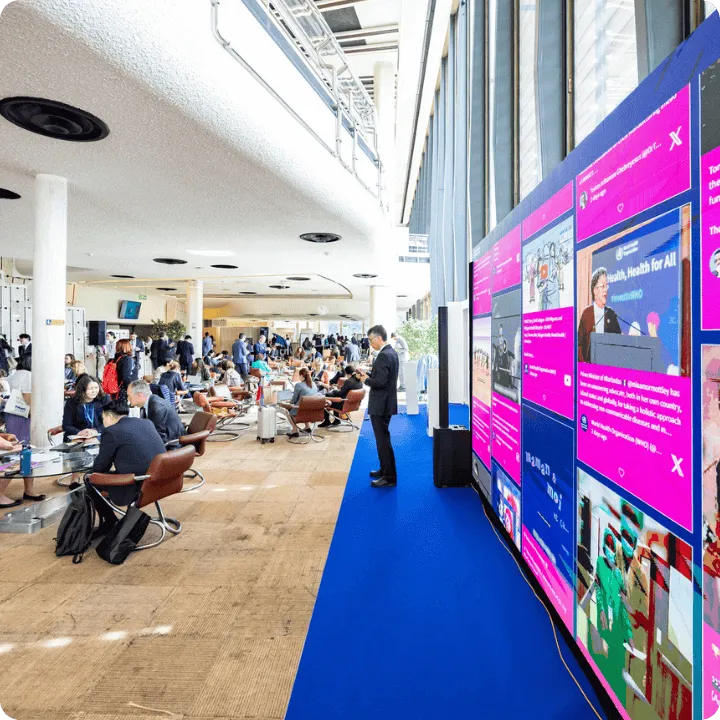
Virtual events have become the core of digital brand experiences in 2025. Yet, despite advanced tools and immersive streaming, one challenge remains—keeping audiences actively engaged. Studies show that nearly 40% of attendees disengage during online events lacking interactive elements. That’s where social wall virtual events come in—dynamic displays that collect and showcase live user-generated content (UGC) from platforms like Instagram, X (Twitter), and LinkedIn.
A social wall for virtual events turns passive viewing into community participation. It bridges the emotional gap between online audiences and real-time engagement by bringing authentic social conversations onto your virtual stage. This guide walks through everything you need to know—what social walls are, how they work, and how to build one that transforms your next online event.
Understanding Social Walls in Virtual Events
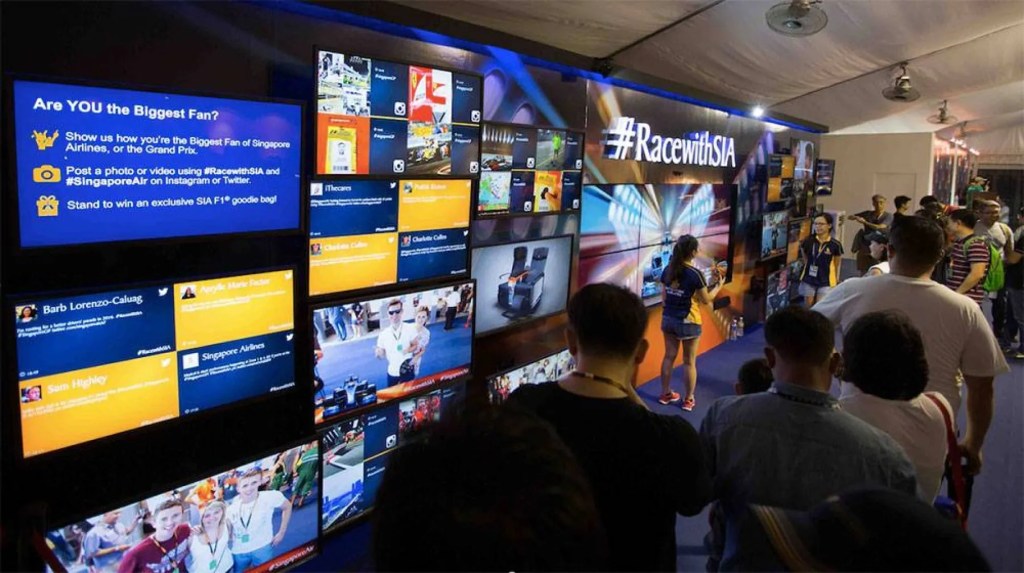
A social media wall for events integrates real-time social media feeds into online platforms such as Zoom, Hopin, or Webex. Think of it as a digital billboard showing attendee posts, brand hashtags, and live reactions—all in one place.
These walls aggregate UGC from chosen social platforms using hashtags, mentions, or profiles, then display them inside the virtual event space. It gives participants a chance to see their content featured live—triggering more shares, engagement, and buzz.
Core benefits of using a social wall in virtual events:
- Enhanced engagement: Attendees feel seen and valued when their posts appear on screen.
- Authentic social proof: Real-time posts build credibility faster than static marketing messages.
- Increased reach: Every shared post extends the event’s visibility across social networks.
- Community building: Social walls encourage networking, even in large-scale webinars or conferences.
Example: During a global virtual summit in 2024, brands using social walls reported up to 60% more audience interaction, driven by live hashtags and branded templates that kept content flowing.
Why Use a Social Media Wall for Virtual Events?
A social media wall for virtual events isn’t just eye candy—it’s a conversion tool. In 2025, algorithms reward brands that generate high engagement metrics. Social walls directly feed that loop by increasing dwell time and amplifying authentic content.
Here’s what makes them indispensable:
1. Boosts Real-Time Interaction
People enjoy seeing their names and photos pop up live. A live social media feed encourages them to post, comment, and tag more often, creating a feedback loop of engagement.
2. Drives Event ROI
Integrating a social wall in virtual events boosts retention and brand impressions. The user-generated buzz lives long after the event, nurturing future attendees.
3. Reinforces Brand Storytelling
Social walls transform static events into narrative spaces—each post adds a piece to the collective story.
4. Strengthens Hybrid Experiences
For hybrid setups, a single social wall can sync in-person and virtual audiences, displaying all interactions in one unified feed.
Building on our guide to social wall events, it’s clear these tools go beyond entertainment—they reshape digital engagement metrics entirely.
Step-by-Step Guide to Building a Live Social Media Feed
Creating your own social wall for virtual events is simpler than it seems. Follow these steps to launch one that feels professional, seamless, and audience-driven:
1. Choose Your Platform
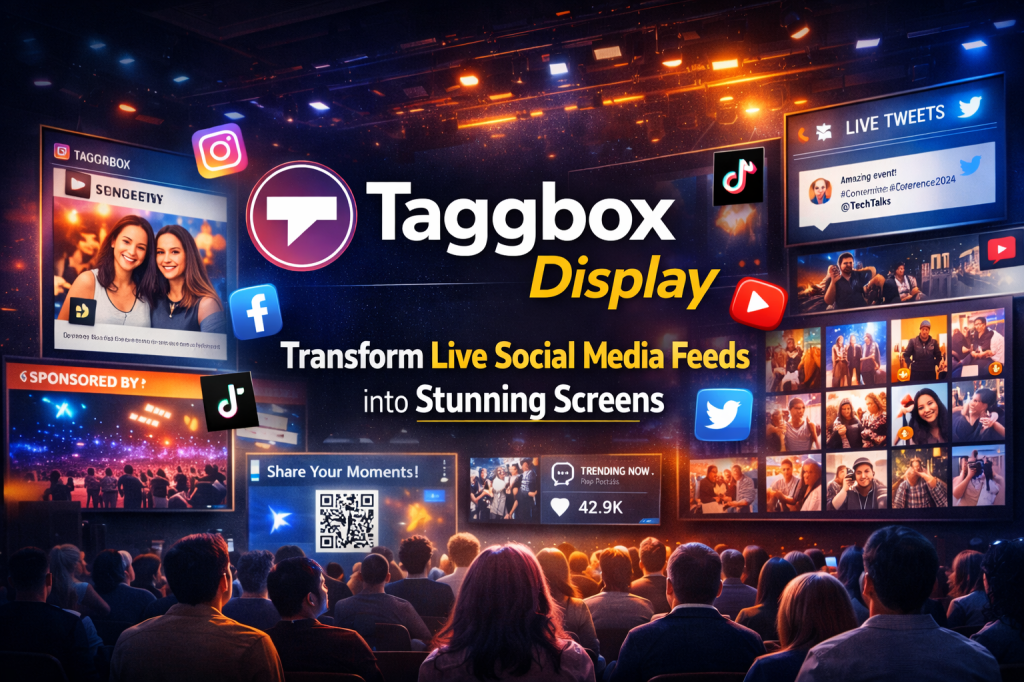
Pick a reliable social media wall tool such as Social Walls by Taggbox, Walls.io, or Everwall. Look for:
- Multi-network support (Instagram, LinkedIn, TikTok, X)
- Real-time updates
- Customizable themes
- Moderation and analytics options
Many offer free trials, making it easy to test before you scale.
2. Define Event Goals
Decide whether your focus is audience interaction, lead generation, or brand visibility. This shapes how you curate and display posts.
3. Create a Branded Hashtag
A catchy, event-specific hashtag (e.g., #FutureConnect2025) makes it easy to collect UGC. Promote it before, during, and after the event.
4. Curate and Moderate
Use your platform’s moderation dashboard to filter out irrelevant or inappropriate content. Authenticity is key—but quality control keeps it professional.
5. Embed the Feed
Most tools generate an embed code compatible with virtual event platforms like Hopin, Zoom, or Webex. You can place the feed in chat panels, sidebars, or main stages.
6. Encourage Sharing
Ask speakers and attendees to post using your hashtag. Offer shout-outs or giveaways for top contributors to spark more posts.
7. Analyze Post-Event Data
Check engagement metrics—likes, shares, impressions, and sentiment. Use these insights to improve your next event strategy.
Maximizing Engagement with Social Wall Events
Even a well-designed wall needs smart use. Here’s how to squeeze maximum engagement out of your virtual event social wall:
A. Pre-Event Buzz
Start conversations early. Launch teaser posts and invite attendees to share pre-event excitement. The earlier your hashtag trends, the stronger your live feed will be.
B. During the Event
Keep the feed visible throughout. Display top posts between sessions or during Q&A breaks. Encourage hosts to mention the social wall live—this reminds attendees to participate.
C. Post-Event Momentum
Keep the social media wall active for a few days post-event to capture reflections and testimonials. Repurpose the best UGC into recap videos or blog posts.
D. Integrate with Analytics
Tools like Taggbox and Walls.io provide engagement data dashboards. Track impressions, hashtag reach, and audience participation rates to quantify success.
Challenges and Smart Solutions
Even the best virtual setups have hurdles:
- Spam or irrelevant posts: Use AI-based moderation filters.
- Low participation: Incentivize posting through gamification—leaderboards or giveaways.
- Technical hiccups: Always test embeds in advance on your chosen platform.
- Overcrowded visuals: Maintain design consistency with brand colors and curated layouts.
By anticipating these, you ensure a smoother and more professional experience.
Future Trends- AI Driven Social Walls
The next wave of social wall virtual events will lean on AI for personalization and moderation. Expect:
- AI-curated content streams highlighting high-engagement posts automatically.
- Sentiment-based filtering to maintain positive tone during live sessions.
- Interactive overlays integrating polls or emoji reactions directly on the feed.
As event platforms evolve, social walls will merge deeper into attendee experience—bridging entertainment, data, and authentic storytelling.
Conclusion
A social wall for virtual events is more than a design feature—it’s a human connector. By curating authentic audience stories in real time, you transform passive viewers into active participants. Whether it’s a small webinar or a global summit, social walls help brands build trust, amplify engagement, and extend their event’s digital footprint.
If you’re ready to elevate your next event, start integrating a social media wall today—and explore more on social wall events to discover how to make every interaction count.
Frequently Asked Questions
1. What is a social wall in virtual events?
It’s a live digital display showing user posts, hashtags, and mentions from social media during an online event.
2. How does a social media wall boost engagement?
It motivates attendees to interact, post, and share—building visibility and excitement around your event.
3. Which tools can I use to create a social wall?
Popular options include Taggbox, Walls.io, and Everwall—each offering real-time curation and analytics.
4. Can I use a social wall in hybrid events too?
Absolutely. It syncs physical and virtual audiences by showing live content from both.
5. How can I promote my event’s social wall?
Highlight the event hashtag on every channel, mention it during sessions, and encourage user shout-outs.
6. Are social walls safe and moderated?
Yes. Most tools allow manual and AI moderation to ensure only relevant, brand-safe content appears.

 Social Media Wall News
Leave a comment