
If you spend any time managing social content, you already know Twitter—sorry, “X”—moves fast. Really fast. And keeping up with conversations manually is almost impossible. That’s where a free Twitter aggregator becomes your best friend. It pulls tweets from hashtags, accounts, or mentions and brings everything into one clean, organized feed you can display anywhere: your website, an event screen, a dashboard, a social wall, you name it.
I’ve tried a lot of tools while helping brands, event organizers, and even small creators build twitter displays that actually look good and update in real time. Some tools are great, some are… well, let’s just say they didn’t make this list.
What Is a Twitter Aggregator?
A twitter aggregator is a tool that collects tweets from specific hashtags, accounts, keywords, or mentions and displays them in one curated feed. Think of it as your personal “Twitter control room.”
A good twitter aggregator app does three things very well:
- pulls live tweets without delay
- filters out the noise so only relevant tweets appear
- lets you embed or display feeds anywhere
People use these tools for all kinds of things:
- embedding live tweets on websites
- running hashtag campaigns
- showing tweets on digital screens at events
- creating a social media display in offices, retail stores, or conferences
- monitoring brand mentions in real time
Paid tools offer extras like deep analytics and advanced moderation. But honestly, a free Twitter aggregator is enough for a lot of brands—especially if you’re just starting out or want to test which tool works best.
Benefits of Using a Free Twitter Aggregator
Using a free twitter aggregator comes with more advantages than most brands realize. Whether you’re a marketer, a small business owner, or someone running events, these tools take care of a lot of heavy lifting behind the scenes. And the best part? You don’t spend a single rupee to get started.
1. Real-time Tweets in One Place
When conversations on X move fast, trying to track hashtags, replies, and mentions manually becomes a full-time job. A free aggregator pulls everything into one clean feed, so you’re not jumping between tabs or missing important moments. It’s like switching from chaos to clarity instantly.
2. Boosts Engagement Instantly
Any time you show live tweets on your website, event screen, or social wall, people interact more. A twitter feed aggregator brings continuous, fresh content without you doing anything. More real-time updates → more attention → more engagement. Simple formula.
3. Saves Time
Manually collecting tweets is exhausting. Aggregators automate 90% of the process. You set the hashtag or account once, and the tool handles everything else. If you’re managing multiple campaigns, this time savings is honestly a lifesaver.
4. Builds Trust With Authentic Content
People trust real voices way more than polished marketing messages. When your audience sees unfiltered user posts and real reactions, the brand feels more transparent and human. In my experience, this authenticity boosts conversions without any extra design work.
5. Perfect for Events, Retail, and Internal Communication
Live tweet displays are game-changers. At events, they hype the crowd. In retail stores, they add social proof. In offices, they improve communication and morale. When combined with social media signage, the entire space feels more interactive and alive.
6. Free Options Are Powerful Enough for Most Use Cases
You don’t need a paid plan unless you’re dealing with very large campaigns or advanced branding needs. Most free tools already give you enough features to embed feeds, moderate posts, and run clean displays. It’s the perfect “start now, upgrade later if needed” situation.
Why You Need a Twitter Aggregator in 2025
Over the years, X/Twitter has evolved from just microblogging to a fast-moving global conversation. In 2025, a twitter aggregator app isn’t just “nice to have”—it’s one of the easiest ways to stay plugged into trends, user opinions, and your own brand’s activity.
Here’s the honest truth:
- Organic reach is unpredictable. Aggregators help extend visibility.
- Brands need transparency. Showing live tweets builds trust instantly.
- User-generated content drives conversions more than polished ads.
- Events feel more alive when tweets appear on-screen in real time.
- Websites with live content outperform static ones in engagement metrics.
And if you’re already planning to create a social media display or digital screen setup, a good aggregator becomes the core engine behind it.
9 Best Free Twitter Aggregators in 2025
1. Social Walls

Social Walls is one of the most reliable options if you want a clean, customizable, and real-time display of tweets. It works well for websites, events, and digital screens, offering a visually polished experience. As a free twitter aggregator, it’s incredibly beginner-friendly and privacy-safe with full GDPR compliance.
Best for: events, retail displays, and social media signage.
Why it’s great: Modern layouts, smooth real-time updates, and easy moderation features ideal for social displays.
Limit: Free plan includes branding and a few layout restrictions.
Free plan: Yes, with basic customization included.
2. TweetDeck

TweetDeck is still one of the simplest ways to monitor real-time tweets using multiple columns. While it’s not a full twitter aggregator app for embedding feeds, it’s excellent for tracking hashtags, lists, and live conversations during campaigns or events.
Best for: Real-time campaign tracking and multi-column monitoring.
Why it’s great: Fast tweet monitoring across hashtags, profiles, and mentions in one dashboard.
Limit: Cannot embed feeds or create public displays.
Free plan: Fully free with no usage caps.
3. Tagembed

Tagembed makes embedding Twitter feeds easy with drag-and-drop customization. It’s perfect for people who want a simple twitter feed aggregator for blogs or business websites without technical steps. The free plan supports clean layouts and essential moderation.
Best for: Bloggers, small businesses, simple website embeds.
Why it’s great: Quick setup, responsive feeds, and beginner-friendly customization tools.
Limit: Limited layouts and fewer styling options on free tier.
Free plan: Yes, with basic widgets available.
4. Taggbox

Taggbox is known for visually polished displays and strong moderation, making it one of the best twitter aggregator choices for branded events. The free plan includes attractive templates and essential filtering tools that help maintain clean, curated feeds.
Best for: Events, branded displays, websites.
Why it’s great: High-quality layouts with reliable moderation for curated feeds.
Limit: Free plan restricts advanced customization and analytics.
Free plan: Available with core display features.
5. Elfsight Twitter Widget
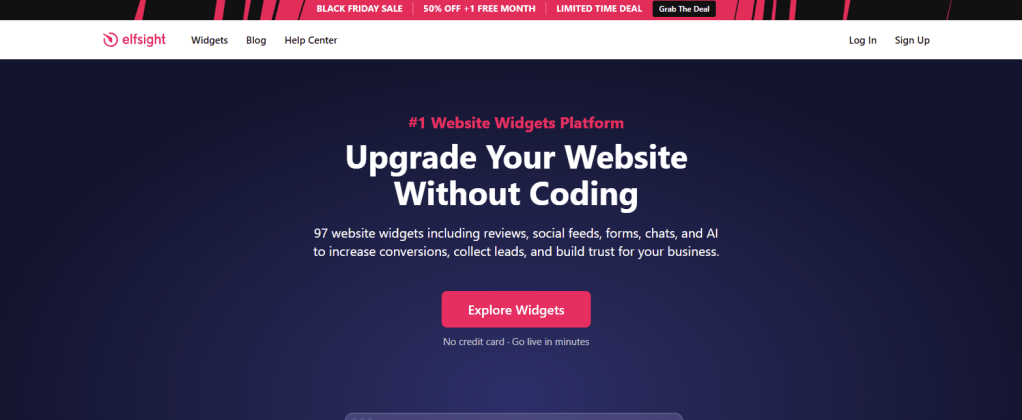
Elfsight offers a lightweight widget perfect for embedding simple Twitter feeds. It loads fast, looks clean on modern websites, and works well for people needing a minimal twitter aggregator without complexity.
Best for: Minimal embeds on websites and landing pages.
Why it’s great: Easy installation with clean, responsive widget designs.
Limit: Free tier limits monthly views and refresh speed.
Free plan: Yes, with basic usage allowances.
6. Walls.io

Walls.io creates beautiful social walls and functions as a solid twitter aggregator app when you need responsive, modern layouts. The free edition works well for small events, presentations, or simple social media display setups.
Best for: Events, signage, social media wall displays.
Why it’s great: Attractive layouts with smooth Twitter integration and autofeed updates.
Limit: Free version includes watermark and limited customization.
Free plan: Yes, with entry-level display options.
7. Tweepsmap

Tweepsmap is more analytics-focused but still valuable as part of a twitter aggregator workflow. It helps you understand audience behavior, trending topics, and keyword patterns even without paid features.
Best for: Social listening, analytics, audience insights.
Why it’s great: Useful insights on followers, trends, and tweet patterns.
Limit: Free plan doesn’t support visual tweet embedding.
Free plan: Available with analytics-focused tools.
8. Flockler

Flockler offers professional-looking social displays ideal for brands wanting a reliable twitter feed aggregator. While the free version is limited, it’s great for testing layouts and feed performance before scaling.
Best for: Brand websites, corporate embeds, professional displays.
Why it’s great: Clean feed layouts with responsive, polished presentation.
Limit: Free option provides only basic functionality.
Free plan: Yes, limited trial-style access.
9. Curator.io

Curator.io is one of the simplest tools for embedding smooth, fast-loading Twitter feeds. It’s lightweight, doesn’t slow down websites, and works well for smaller projects needing a stable twitter aggregator solution.
Best for: Lightweight website embeds and basic social sections.
Why it’s great: Fast updating, simple embed process, and clean widget styling.
Limit: Free tier updates feed with slight delay.
Free plan: Yes, includes essential features.
Conclusion
If your brand, event, or website still isn’t using a free Twitter aggregator, you’re missing out on one of the easiest ways to show real-time conversations and build trust. Whether you want a simple feed, a full twitter aggregator setup, or a vibrant social media display, these tools make it ridiculously simple—without spending anything.
Pick one free tool, test it, and upgrade only if you actually need more features. Until then, the free versions already do more than enough.
FAQs
1. What is a free Twitter aggregator?
A free Twitter aggregator collects tweets from hashtags, profiles, or mentions and displays them in one organized feed you can embed or show on screens.
2. Can I embed Twitter feeds using free tools?
Yes. Many free tools let you embed live Twitter feeds on websites, event screens, or digital signage.
3. Do free Twitter aggregators require coding?
No. Most tools generate embed codes you just copy and paste.
4. What’s the best Twitter aggregator for websites?
Social Walls, Tagembed, and Curator.io work great for responsive website embeds.
5. Are free Twitter aggregators safe to use?
Yes, as long as you’re using reputable tools. They only access public tweets.
6. Can I moderate tweets in a free plan?
Some tools allow basic moderation, but advanced filtering usually requires a paid upgrade.


Leave a comment