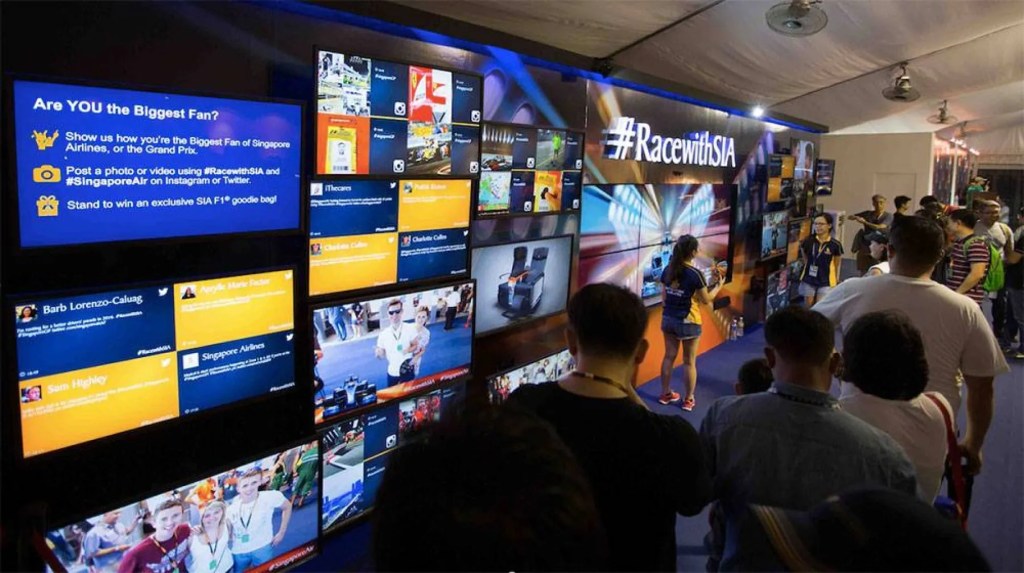
If you’ve ever been to an event where the energy dips or people start drifting into their phones, you know the room needs a spark. One easy way to bring that spark back is with a social media display—a screen that highlights real posts, reactions, and moments shared by your audience. It makes the event feel more alive and pulls people into the experience rather than leaving them on the sidelines. This guide walks you through what these displays are, why they’ve become so popular, and how you can set one up without getting bogged down in technical details.
What Is a Social Media Display for Events?
A social media display gathers posts from platforms like Instagram, X, Facebook, and YouTube and shows them on screens around your venue. When attendees share something using your hashtag or tag your profile, it pops up in seconds. Instead of polished marketing messages, you get an organic stream of real voices and real moments.
And with a clean layout or animated transitions, a social walls quickly becomes something people naturally gravitate toward during an event.
How Live Social Content Appears on Event Screens
The process behind it is much simpler than most people assume:
- You choose a hashtag, keyword, or social profile.
- The platform starts collecting matching posts.
- You review or filter anything that shouldn’t appear.
- Approved content updates automatically across the event screens.
You can run the display on TVs, LED walls, projectors, kiosks, or most digital signage players. Many event teams lean toward social media signage because it works with the hardware they already have. Once everything is connected, the display refreshes on its own as new posts roll in.
Why Event Teams Use Social Wall for Experiences
People enjoy seeing themselves featured—it’s as simple as that. And that moment of recognition drives more activity throughout the event.
Here’s why these displays make such a difference:
- Boosts participation — Attendees share more when there’s a chance they’ll appear on the big screen.
- Adds real-time energy — New posts keep the atmosphere fresh and unpredictable.
- Strengthens community — Guests feel like contributors rather than passive viewers.
- Expands event reach — User-generated content spreads your presence online.
- Supports sponsors — Branded frames offer subtle, authentic visibility.
Static graphics rarely create this kind of momentum. A live feed gives your event a sense of movement and personality.
How to Set Up Social Display Media
1. Choose Your Display Tool
Pick a platform designed for events—one that handles real-time updates, moderation, and layout customization. A simple dashboard saves you from last-minute tech headaches.
2. Add Your Hashtag or Handle
Once your tag is in place, posts start appearing in your feed. As people share their photos or thoughts, your social media display begins building itself naturally.
3. Customize Your Layout
Match the visuals to your event branding. Fonts, colors, tile styles, and transitions all help the display blend in rather than stick out awkwardly.
4. Moderate Incoming Content
You can review everything manually or rely on filters. Either way, moderation keeps your display clean and appropriate for your audience.
5. Connect to Your Event Screens
You can publish using a browser link, signage app, display player, or LED controller. Most screens—from projectors to giant LED panels—handle social display media without any extra hardware.
6. Test & Go Live
Check the visuals, network stability, and refresh speed. When everything looks right, go live.
If you want more advanced options—like multi-room displays or hybrid event support—platforms such as social walls offer deeper control.
Creative Ways to Use Live Social Walls at Events
A social wall display becomes even more impactful when you pair it with the right ideas. Here are a few approaches event teams love using:
• Hashtag Challenges
Create a themed hashtag challenge that gets people sharing fun or creative posts. When attendees see their entries appear on the screens, it adds a playful competitive edge and keeps the feed active.
• Live Q&A Screens
Allow guests to submit questions that show up on your screens in real time. It makes speaker sessions feel more interactive and helps audiences feel genuinely included in the conversation.
• Audience Spotlight Moments
Highlighting attendee posts during breaks or transitions adds warmth to your event. People appreciate the recognition, and it encourages more organic sharing throughout the day.
• Sponsor Frames & Brand Moments
Add sponsor-branded frames or subtle overlays around user-generated content. It’s an easy way to support sponsors without interrupting the flow of your social media display.
Best Tool for Social Media Signage at Events
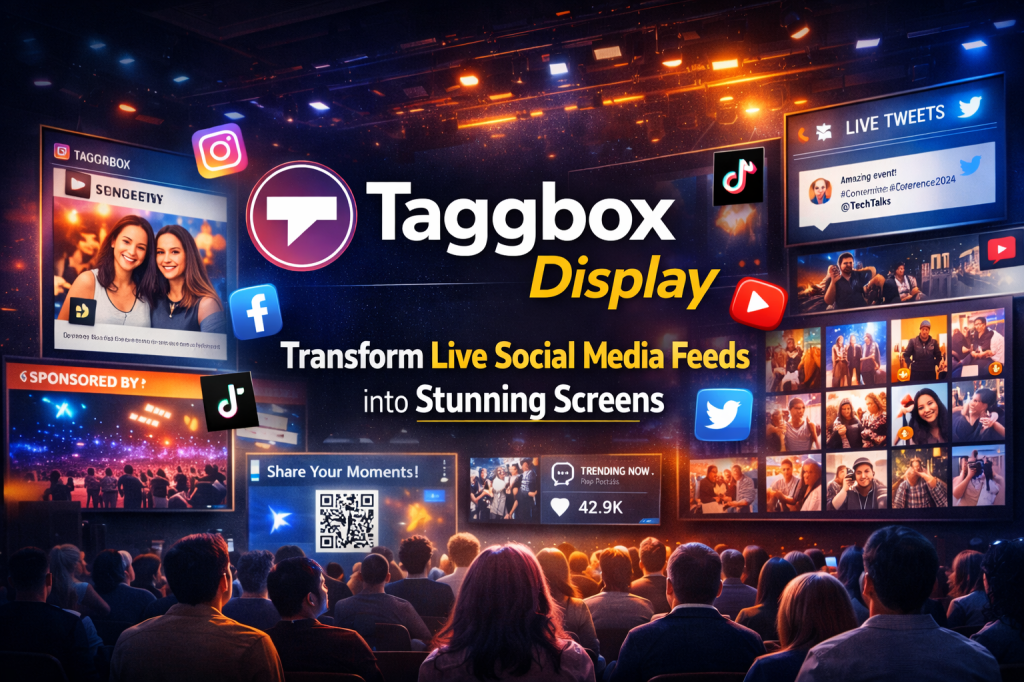
Among the many platforms available, Social Walls by Taggbox is a favorite for teams that need reliability across large screens and multiple rooms. It delivers real-time feeds, customizable layouts, strong moderation, multi-screen syncing, and analytics—all of which matter when you’re managing a busy event.
With pricing that ranges from one-time event packages to full signage networks, social walls help teams run live content smoothly no matter the scale.
Conclusion
A social media display brings movement, authenticity, and life to any event. When attendees see their own posts up on the screens, they naturally participate more, share more, and feel more connected to the experience. With the right platform and a few creative ideas, your screens can become a dynamic story told by the people in the room.
Whether it’s a conference, trade show, or internal gathering, social display media helps transform ordinary screens into living, community-driven moments.
FAQ
1. How does a social media display work at events?
A social media display gathers posts from hashtags, handles, or keywords and shows them on event screens in real time. It gives attendees instant visibility and boosts engagement naturally.
2. What screens can I use for a social wall display?
These displays work on TVs, LED panels, projectors, kiosks, and digital signage systems. A social wall display typically runs using a simple browser link, so most screens already support it.
3. Does using a social media display increase audience engagement?
Absolutely. When people see their posts appear live, they tend to share more. Its builds excitement, increases hashtag usage, and helps your event reach a wider online audience.
4. How do I collect social media posts for my event display?
Enter your event hashtag, profile handle, or a keyword into a social display media tool. It gathers relevant posts, filters out the unwanted ones, and publishes approved content to your screens.
5. What’s the easiest way to set up social media signage for an event?
Choose a platform that supports digital signage, customize your layout, and publish using the provided link. Most social media signage systems work instantly with existing screens.

 Social Media Wall News
Leave a comment