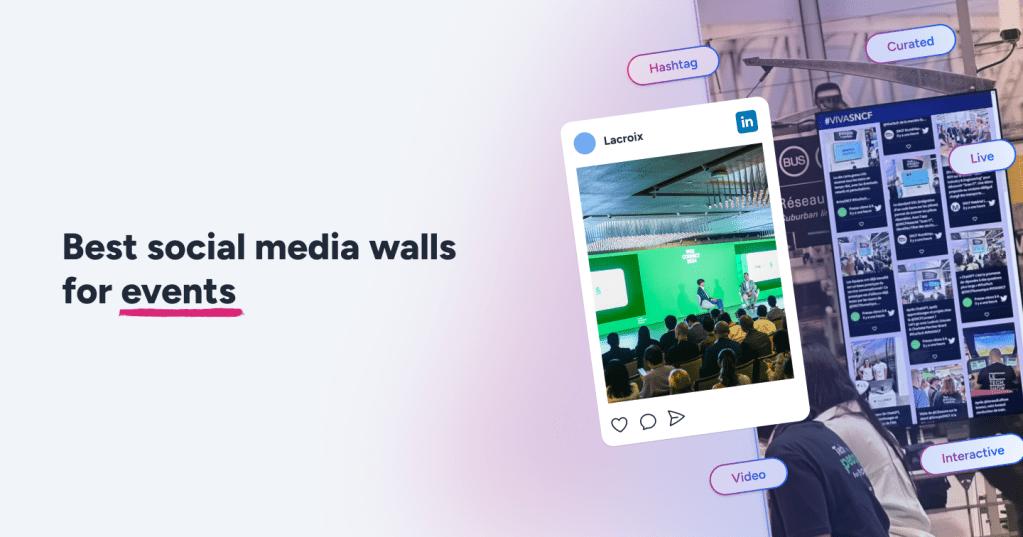
Live events today aren’t only about what’s happening on stage. They’re about what people are sharing, reacting to, and talking about in the moment. That’s why event screens have quietly evolved into interactive event displays, showing live audience reactions instead of static slides.
When done right, a social media wall becomes the most-watched screen in the room. I’ve seen attendees ignore sponsor videos but hover around a live feed trying to spot their post. I’ve also seen the opposite — walls freezing mid-event because the wrong tool was chosen.
If you’re looking for reliable social media wall tools in 2025, you’re probably planning a live event or conference and don’t want something that breaks under pressure. Fair concern.
This guide is written from real, on-ground event experience — not a feature checklist.
What Is a Social Media Wall?
Before tools, let’s clear this up.
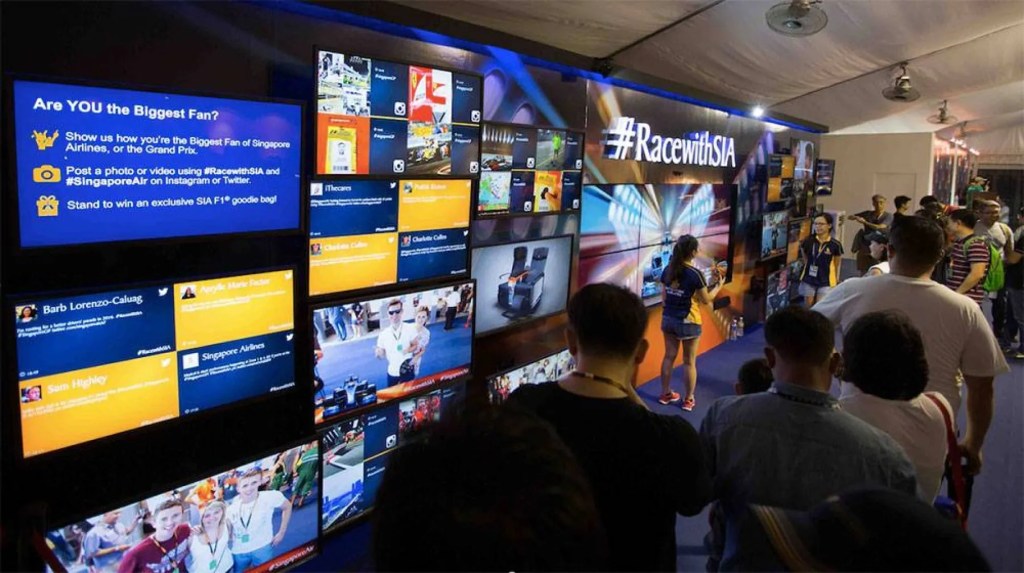
It’s a live display that collects attendee-generated posts from platforms like Instagram, X, or Facebook and shows them on event screens in real time. Content usually flows in through hashtags, mentions, or tagged profiles.
In event environments, it’s often referred to as a live event social wall or hashtag wall for events, simply because the feed updates continuously as attendees post.
What makes a social media wall event setup work isn’t the software alone — it’s human behavior. People post because they know their content might show up. That small anticipation loop is what turns a screen into an experience instead of just another display.
Why Event Teams Use Social Media Walls
Here’s the honest truth: attention drops fast at events. Between sessions, phones win.
A well-managed social media wall software pulls attention back into the room without announcements, reminders, or awkward prompts.
What Actually Works on The Event Floor
Organic participation
Once attendees realize the wall exists, posting becomes natural. No instructions or reminders needed.
Energy during downtime
Breaks feel shorter when people are watching a real-time social feed instead of staring at schedules or sponsor slides.
Instant user-generated content (UGC)
You’re not waiting weeks for recap assets. Content appears live on the event engagement screen while the event is still happening.
Immediate social proof
New arrivals instantly see that the event is active, which subtly nudges them to join in.
Where Things Go Wrong
If moderation is weak or Wi-Fi drops, momentum disappears fast. One off-brand post or a frozen screen can change the atmosphere of an entire room. That’s why choosing the right social media wall tools is not a minor decision.
Social Media Wall Tools for Live Events & Conferences
One thing worth saying upfront: tools that work fine on websites don’t always survive live events. Real events bring unstable internet, sudden spikes in posts, and zero tolerance for glitches.
What matters most here is speed, moderation reliability, and screen stability.
1. Social Walls by Taggbox
Social Walls is built specifically for live event environments. Setup is quick, the interface is easy to navigate, and the display stays responsive even when posting volume spikes unexpectedly.
It also supports newer AI Social wall tools–style filtering, which helps reduce manual moderation effort. That said, human review still matters during key moments.
It works especially well as a conference social feed on large LED screens, where refresh speed and readability are crucial.
Good for: conferences, exhibitions, brand activations
Watch out: analytics are basic — this tool prioritizes live display over reporting
2. Walls.io
Walls.io fits clean, professional conference environments where branding consistency matters. It’s commonly used at corporate conferences and hybrid events where content needs to look good both on physical screens and online platforms.
It’s also a popular choice for teams setting up an Instagram wall for events, especially when brand presentation matters more than aggressive customization.
Good for: hybrid and corporate conferences
Watch out: pricing rises as screen count increases
3. Everwall
Everwall is designed for scale. It’s frequently used at festivals and large conventions where hundreds of posts arrive within minutes.
It may not be visually fancy, but it rarely fails under pressure — which is often more important during live sessions.
Good for: large-scale live events and high-volume conferences
Watch out: limited visual customization options
4. Tint
Tint leans into storytelling and visual polish. It blends UGC into layouts that feel controlled and intentional rather than chaotic.
It’s best suited for enterprise events, sponsor-heavy conferences, and brand-led experiences.
Good for: enterprise events and premium brand activations
Watch out: unnecessary for small or short events
5. Tagembed
Tagembed sits comfortably in the middle — not too basic, not too complex. It works well as a social wall app for mid-sized conferences where teams need moderation controls without managing an overwhelming dashboard.
Good for: growing conferences and expos
Watch out: limited deep customization on very large LED walls
6. Juicer
Juicer is better suited for smaller or internal events. It’s easy to launch and doesn’t require much configuration time.
However, it’s not built for high-pressure environments with rapid post volume.
Good for: workshops and small events
Watch out: not ideal as a primary social media wall event solution for large audiences
7. Flockler
Flockler fits community-driven events and interactive brand experiences. It supports multiple social platforms and blends well with other digital signage content.
Good for: community events and brand activations
Watch out: advanced configurations can take time
8. SociableKIT
SociableKIT works best when social content is part of a broader screen setup — alongside schedules, announcements, or wayfinding information.
Good for: mixed-content event displays
Watch out: visuals feel basic on large stages
9. Curator.io
Curator.io is useful when event content needs to be reused after the event for marketing or recap campaigns. It balances moderation with content repurposing features.
Good for: marketing-driven conferences
Watch out: moderation still needs attention during peak moments
10. EmbedSocial
EmbedSocial is a lightweight option for structured environments such as panel discussions, corporate meetups, or formal conferences.
Good for: structured conferences and panel events
Watch out: limited advanced controls for fast-paced live events
Use Cases for Social Media Wall at Events
Conferences & Summits
Social wall display attendee posts, speaker shoutouts, and session highlights in real time. They’re often placed near registration desks or breakout zones to keep energy levels high between sessions.
Product Launch Events
Brands use social walls to showcase live reactions, influencer mentions, and branded hashtags. Seeing real-time responses builds excitement and credibility instantly.
Corporate Offsite & Internal Events
For internal events, social walls highlight team moments, leadership messages, and behind-the-scenes content, helping teams feel more connected.
Trade Shows & Exhibitions
A social media wall at a booth or aisle entrance acts as a visual magnet, encouraging foot traffic and interaction.
Hybrid & Virtual Events
Social walls bridge remote and on-site audiences by combining posts into one shared experience, keeping online participants visible.
Conclusion
A social media wall is no longer decoration. In 2025, it’s a core engagement layer for live events.
The best social media wall tools focus on stability, refresh speed, and reliability — not flashy claims. Choose based on event size, expected activity, and who’s moderating, not on marketing promises.
FAQs
What is a social media wall used for at events?
It displays live attendee posts on event screens, helping boost engagement and maintain event energy.
Do social media walls update in real time?
Yes. Most modern walls refresh continuously during live events.
Which screens support social media walls?
TVs, LED walls, projectors, kiosks, and other digital signage setups.
Are social media wall tools expensive?
Pricing depends on event size and duration. Small events often need simpler tools, while large conferences require more robust setups.
Do I need technical skills to run a social wall?
No. Most modern social wall apps are designed for event teams and don’t require developers.

 Social Media Wall News
Leave a comment