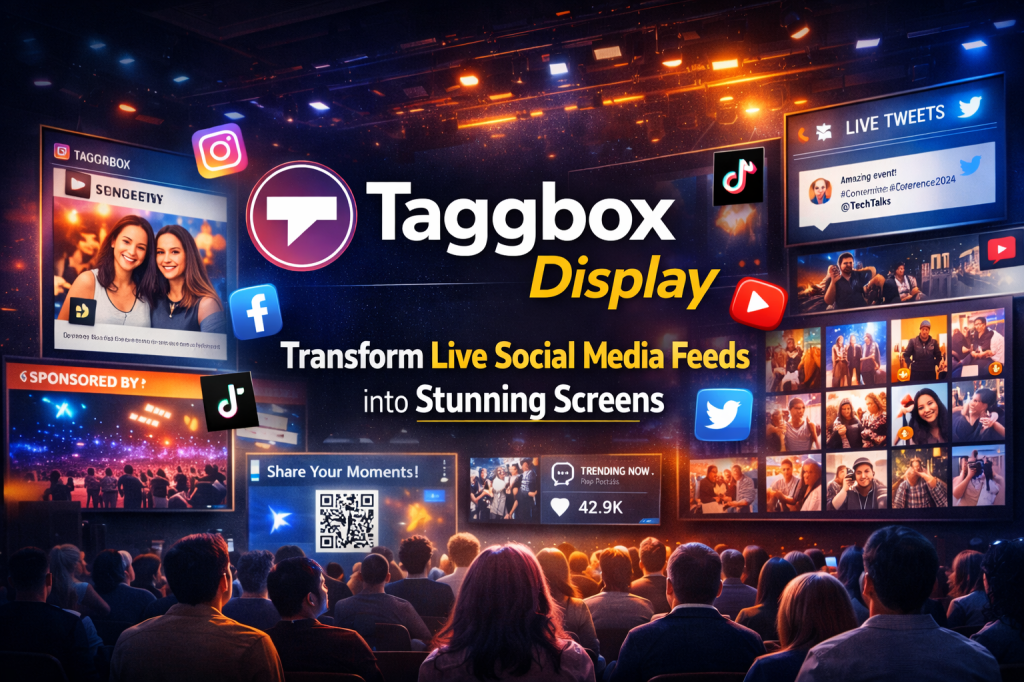
After working with multiple event setups — including conferences, brand launches, internal town halls, and even retail screens — one thing becomes obvious very quickly: most screens are often ignored. Not because they’re broken, but because they don’t feel alive.
Taggbox Display changes that dynamic.
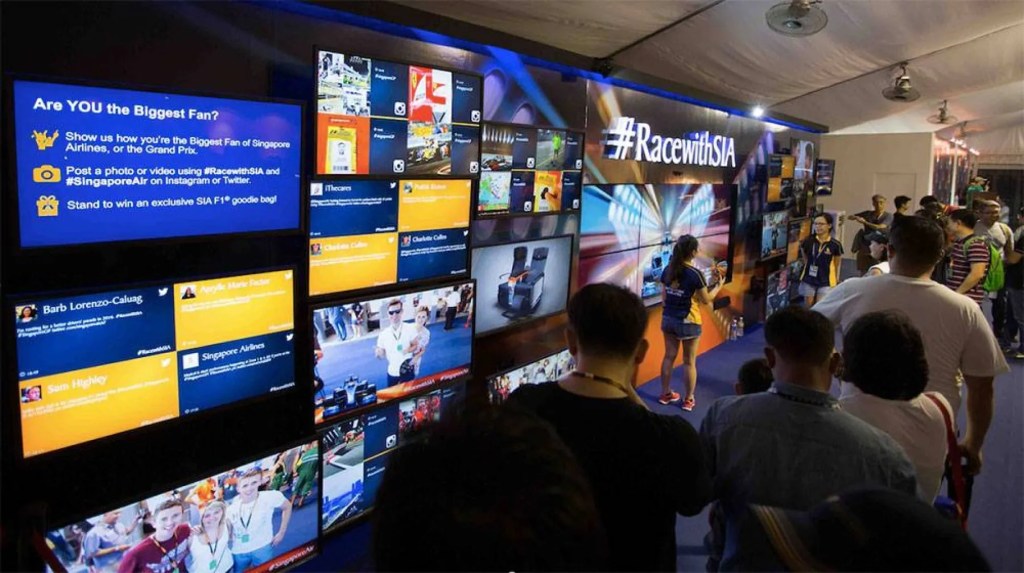
I’ve seen event stages light up the moment a live social display appears on screen.
The platform pulls content from 15+ social platforms, including Instagram, Facebook, TikTok, X (Twitter), LinkedIn, and YouTube, using hashtags, mentions, tagged posts, or pages. making it a natural extension for brands already using taggbox social walls for events and websites.
Why Taggbox Display Beats Traditional Digital Signage
Static banners? Boring slides? Forget them. It creates live social displays that update in real time, pulling fresh posts as your audience shares them. People don’t just look—they participate, post more, and tag friends, because user-generated content gives them a reason to be seen on the screen.
Instant Engagement Boost
Attendees see their content live on screen, creating FOMO that drives twice as many shares and interactions.
Brand-Safe Moderation
Approve posts manually or set auto-filters—nothing off-brand hits your social wall display.
Zero Tech Headaches
No coding needed. Connect to TVs, projectors, LED walls, or signage players in minutes.
Custom Looks That Pop
Themes, animations, colors—make your social media display match your brand perfectly.
Extra Revenue Streams
Highlight sponsors or promotions alongside UGC for event monetization.
Real events like Social Media Week Dubai saw #SMWIDubai trend #1 in UAE with Taggbox Display, proving it delivers measurable buzz.
How Taggbox Display Works – Step-by-Step Setup Guide
Setting up Display feels like magic—but it’s dead simple. Here’s exactly how to get your live social display running:
Step 1: Build Your Social Feed
Log into Social Walls by Taggbox and create a new wall. Add sources—#YourEvent, @YourBrand, or TikTok videos. Watch content flood your dashboard from all platforms instantly.
Step 2: Curate Like a Pro
Scan incoming posts. Approve the gems, reject the rest. Block keywords or users automatically. Featured posts get prime screen time on your social media signage.
Step 3: Design Your Social Wall Display
Choose layouts (grid, carousel, vertical). Tweak colors, fonts, logos, and transitions. Adds countdowns, weather, or leaderboards for extra flair.
Step 4: Launch on Any Screen
Grab your stream URL. Open on Fire TV Stick, Chromecast, HDMI player, or ScreenCloud. Full-screen mode on—your social media display is live across multiple screens.
Step 5: Supercharge Participation
Generate QR codes for instant uploads (no social login needed). SnapUp lets anyone contribute photos/videos directly. Watch your live social display explode with fresh content.
Total time? Under 10 minutes for first-timers. Events report 84K+ interactions from 2-day activations.
Top Features Making Taggbox Display Essential
- 15+ Platform Aggregation: Instagram Stories to YouTube lives—all in one feed.
- Display Studio Extras: Mix social feeds with promotions, calendars, testimonials, or sponsor spots.
- Team Collaboration: Multiple users approve content with role-based access.
- Analytics Dashboard: Track impressions, top posters, engagement spikes.
- UGC Rights Manager: Secure permissions to repurpose customer content legally.
These aren’t gimmicks—they solve pain points like content gaps, moderation fears, and brand visuals.
Real-World Taggbox Social Walls Success Stories
Parookville Festival (Germany) – Global Virtual Engagement
When Parookville Festival moved to a virtual format, maintaining audience engagement was a major challenge. Using Taggbox Display, organizers showcased live reactions, fan posts, and global conversations on-screen throughout the event.
Instead of feeling disconnected, virtual attendees saw their content featured in real time. This increased session retention and created a shared experience despite physical distance, proving that live social displays work even beyond on-ground events.
Social Media Week Dubai – Trending at a National Level
At Social Media Week Dubai, It was used to aggregate posts, speaker mentions, and attendee reactions under the event hashtag. Live screens across the venue displayed this content continuously.
The result was immediate visibility and participation. Attendees posted more frequently to get featured, pushing #SMWIDubai to trend #1 across the UAE. The social wall display became a central engagement driver, not just a background screen.
Etihad Arena – UFC 267 (84,140 Interactions in 2 Days)
During UFC 267 at Etihad Arena, organizers needed a way to channel massive fan energy without overwhelming moderation teams. Taggbox Display handled thousands of posts across platforms while keeping content brand-safe.
Live fan photos, reactions, and highlights were displayed throughout the venue, resulting in 84,140 interactions and over 1,000 UGC pieces in just two days. The social wall display amplified crowd excitement while staying stable under extreme traffic.
Retail Brands – Increased Dwell Time and Trust
Retail brands use Taggbox Display to replace ads with real customer photos and reviews. Showing content on social media signage increases trust and dwell time by up to 30%.
Jack Astor Restaurants – Turning Guests into Promoters
Jack Astor restaurants integrated Taggbox Display into their dining spaces to feature guest photos, reviews, and social check-ins. Customers actively posted to get featured on screens, creating a loop of participation and visibility.
This approach transformed diners into promoters and led to a 20% increase in customer footfall, showing how social media signage can directly impact physical business outcomes.
Perfect Use Cases for Taggbox Display
Events & Conferences
Stage backdrops alive with #EventName posts, live Q&A via X mentions, sponsor highlights between feeds. Etihad Arena at UFC 267 used it to drive 84K interactions in 2 days. Countdown timers build anticipation; leaderboards reward top posters.
Retail & Stores
Social media signage shows real customers using products, Google reviews, hashtag campaigns. Jack Astor restaurants gained 20% more footfall by displaying UGC alongside menus. Weather forecasts and promotions keep screens fresh all day.
Corporate Offices & Lobbies
Employee spotlights, company news, Slack feeds, culture moments on social wall displays. Display calendars for meetings, client testimonials, onboarding videos for new hires. Keeps remote and in-office teams connected.
Hybrid & Virtual Events
Remote attendees contribute to the same live social display as in-person crowds. Parookville Festival and VPC Inc. virtual honors events saw doubled engagement by syncing social walls with streams.
Hospitality & Restaurants
Guest photos, Airbnb/Yelp reviews, check-in QR codes, room availability calendars create welcoming vibes. Indoor maps and event schedules help navigation.
Education & Hospitals
Schools show student achievements, virtual tours, holiday calendars. Hospitals display doctor schedules, weather, motivational quotes for waiting visitors. Every scenario leverages UGC authenticity—people trust people, not ads.
Final Thoughts
It just not only tech—it’s your secret weapon for authentic engagement. Live social wall displays turn passive screens into conversation starters. Events get buzz. Stores get trust. Offices get energy. All from real people sharing real moments.
Skip the slides. Ditch the stock images. Let Taggbox Display make your social media display unforgettable. Free 14-day trial—no card needed. Your audience (and analytics) will thank you.
FAQ
How can I control content before it appears on screens?
You can manually approve posts, apply keyword and user filters, enable auto-moderation, and feature priority content to ensure every social wall display stays brand-safe and relevant.
Which screens are compatible with Taggbox Display?
Its works smoothly with TVs, LED walls, projectors, Fire TV Stick, Chromecast, HDMI players, ScreenCloud, and smart digital signage systems, with support for multi-screen synchronization.
Can Taggbox Display be used for virtual or hybrid events?
Yes, allows both remote and on-site audiences to contribute to the same live social display, making it ideal for virtual, hybrid, and in-person events.
How long does it take to set up Taggbox Display?
Most first-time users can set up and launch their live social display within 5–10 minutes, without any coding or technical expertise.
What pricing options are available for Taggbox Display?
This tool offers a 14-day free trial and flexible pricing options based on event duration, number of screens, or long-term display needs.
Does Taggbox Display provide analytics and reports?
Yes, includes a detailed analytics dashboard that tracks impressions, engagement trends, top contributors, and allows exportable performance reports.

 Social Media Wall News
Leave a comment